

Organization administration
The Admin module is the Exercise Program Manager’s workspace. Its sections are Organization, Users and roles, Exercises, Allowed Domains, Library and Improvement plan.
Organization
Section titled “Organization”The profile of the active organization, with its dashboard. Edit profile changes the name, alias, logo and tags. Deleting the organization removes every exercise in it, and can’t be undone.
Users and roles
Section titled “Users and roles”A table of people against roles: Exercise Program Manager, Exercise Planning Team, Observer and Evaluator. A role here authorizes someone, and each exercise’s team then assigns them.
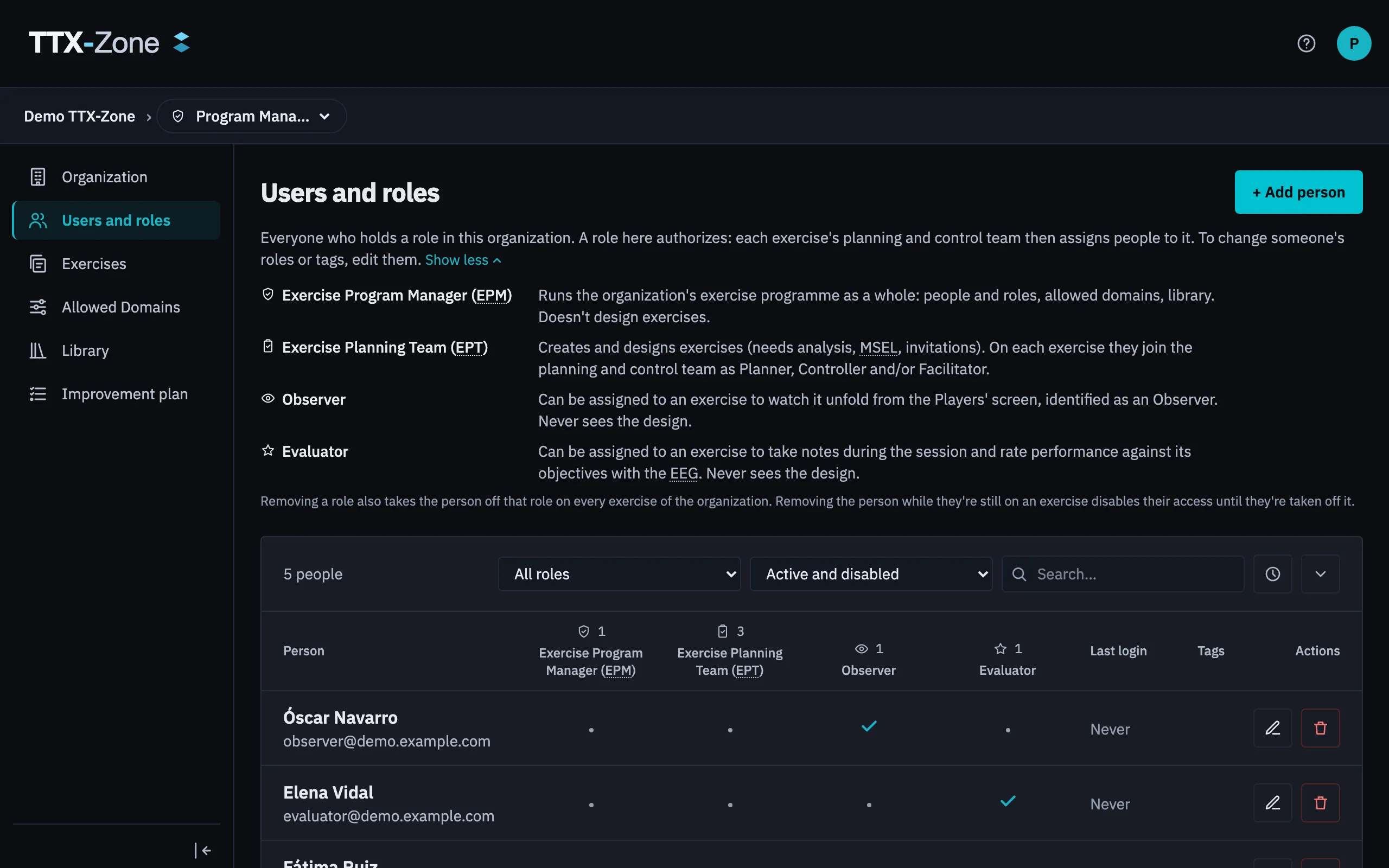
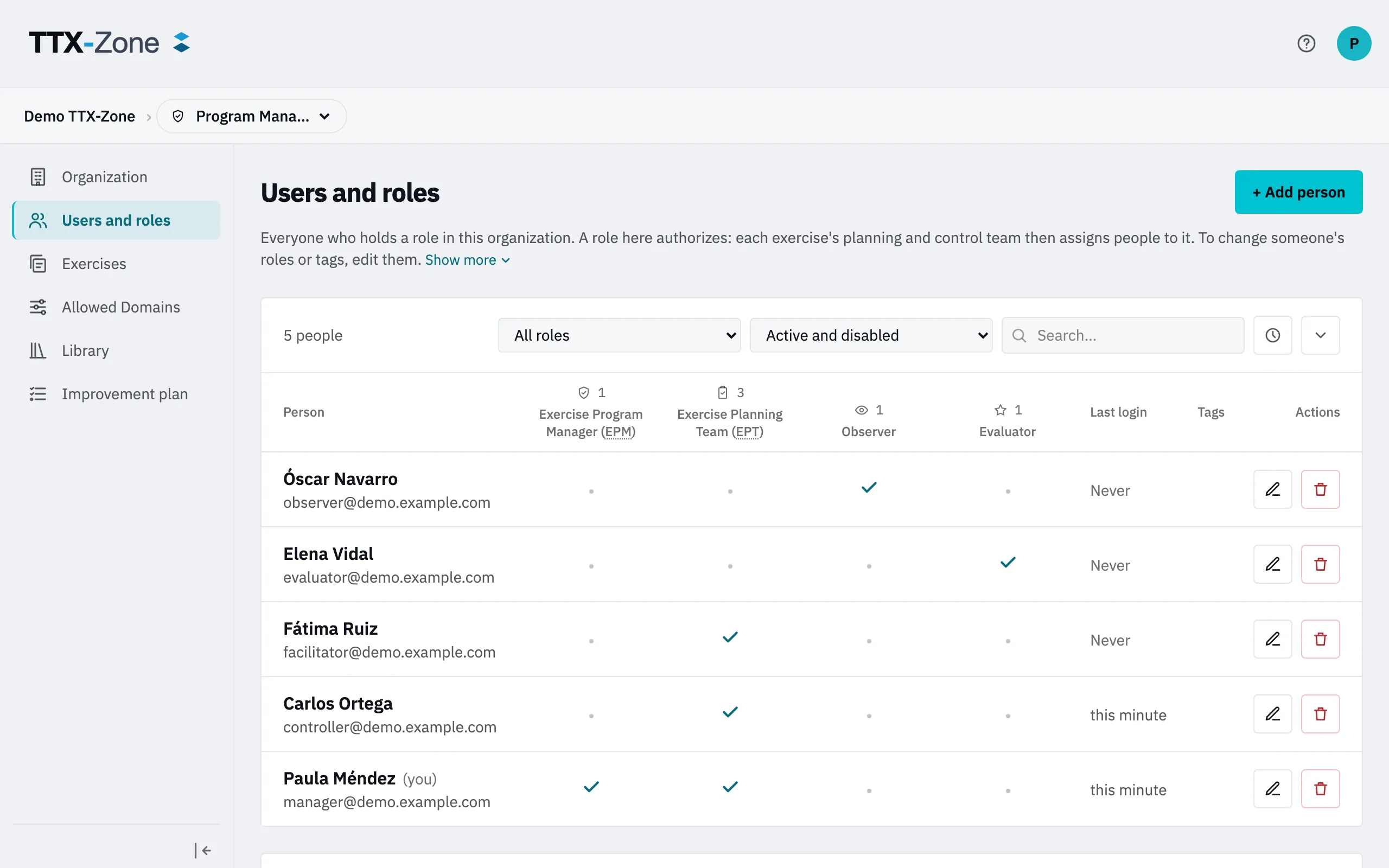
- Add person takes an email, roles and tags.
- Edit changes roles and tags. You confirm by typing the person’s name.
- Remove deletes their grants. Someone still on an exercise is disabled instead, until they’re taken off it.
The organization always keeps one Exercise Program Manager.
Allowed Domains
Section titled “Allowed Domains”Only an email domain on this list can become an Exercise Planner or an Exercise Program Manager. An empty list allows nobody. Observers, Evaluators and Players aren’t limited by it.
Exercises
Section titled “Exercises”The organization’s whole portfolio. You can archive or delete any of them. To work on one you need a seat on its team, so Join adds you with a role your grants allow.
Founding another organization
Section titled “Founding another organization”Depending on the instance’s rule, the avatar menu offers Create your own organization.
Leaving
Section titled “Leaving”Preferences → Privacy has Leave for the active organization. An Exercise Program Manager hands over first if they’re the last one.