

MSEL
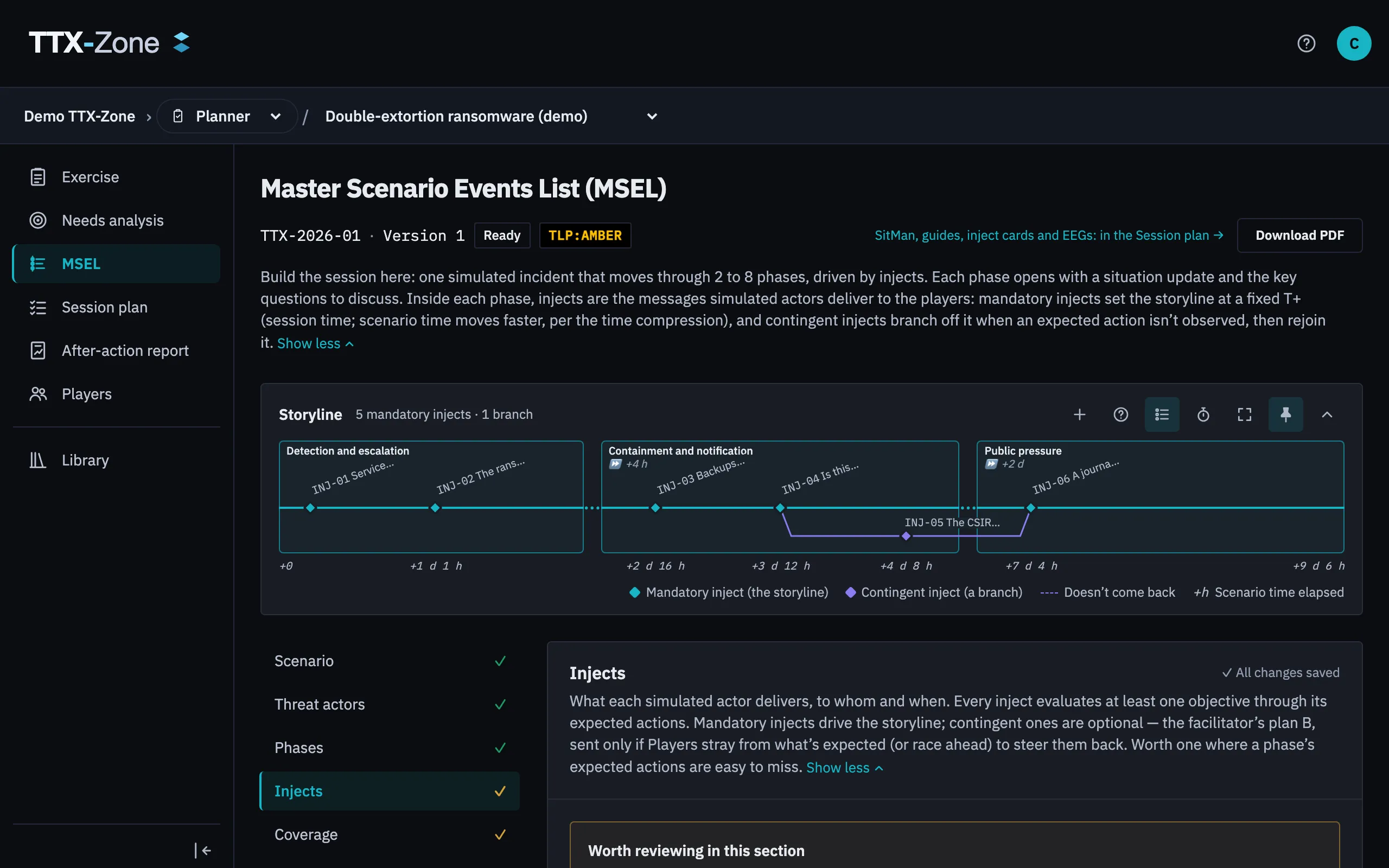
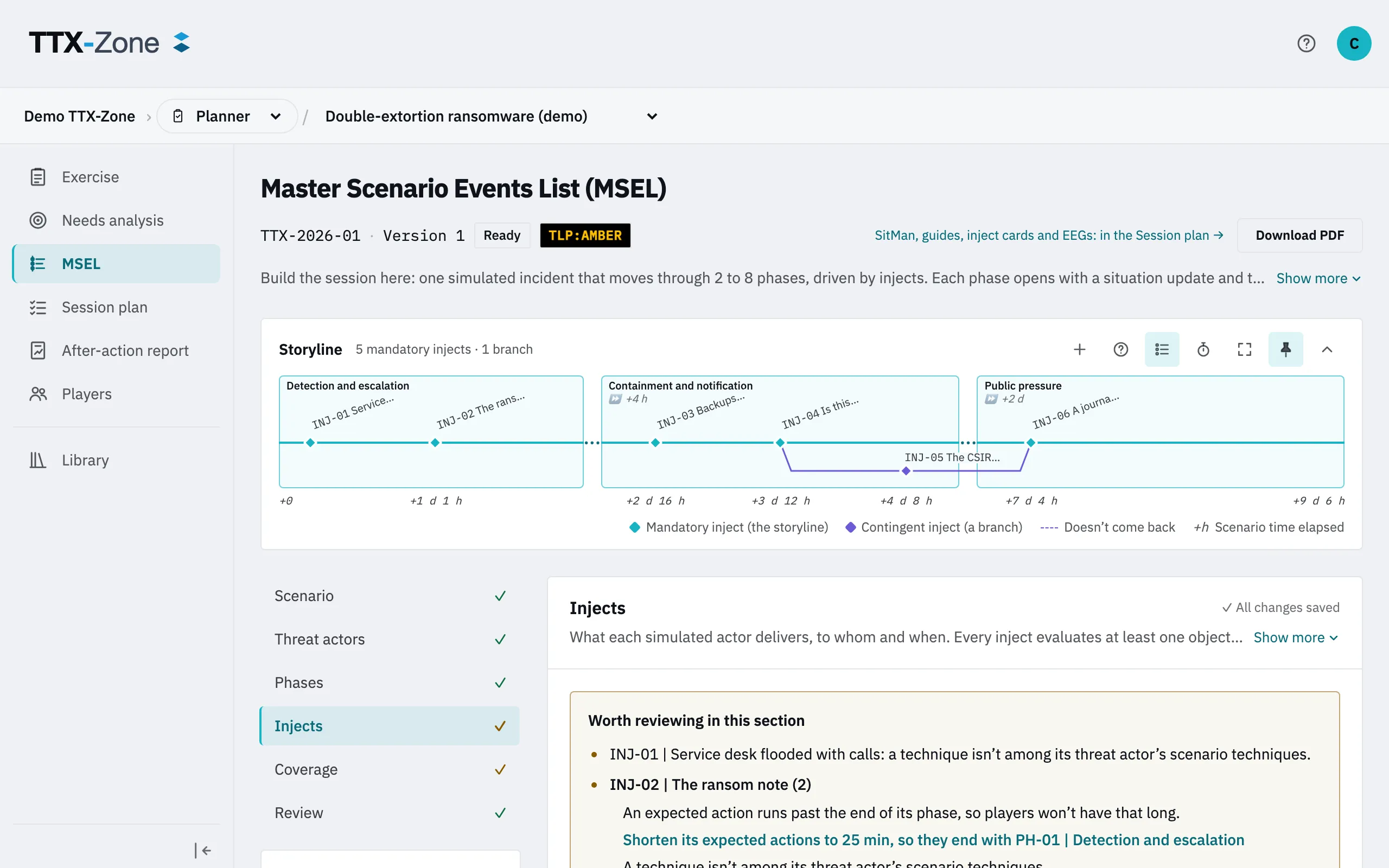
The Master Scenario Events List plans the events that prompt the decisions you want to observe, when they happen and what response you expect. Every inject serves at least one objective through its expected actions, and those become the points Evaluators rate.
The MSEL is built on the approved objectives, so it can only be edited, and its injects validated, while the needs analysis is approved. When it isn’t, the page and each inject say so, with a link to the approval.
The sections
Section titled “The sections”| Tab | What it holds |
|---|---|
| Scenario | General parameters, the session’s duration and the summary for Players |
| Threat actors | Optional, with MITRE ATT&CK techniques |
| Phases | Two to eight stages of the story |
| Injects | The events themselves |
| Coverage | Objectives against phases. Red means no mandatory inject, amber means one action |
| Review | Moving to review and ready, and each recipient’s load |
Phases and time
Section titled “Phases and time”There are two clocks. Session time is what passes in the room. Scenario time is what passes in the story, so a phase can jump days ahead. An empty MSEL offers suggested phases based on your objectives.
Injects
Section titled “Injects”Select Add inject and follow the steps. An inject says who it comes from, who gets it and what it says, with images and files if needed.
Formats:
- Inject: an event delivered to the table, coded
INJ-NN. - Poll: a question the table votes on, coded
POL-NN. Each option can say what follows, and add to impact meters. - Discussion: a debrief or reflection, coded
DSC-NN.
Kinds:
- Mandatory: delivered at its time.
- Contingent: delivered only if something happens. A contingent inject branches off an inject of its own phase, usually fired when an expected action doesn’t happen, and can rejoin the storyline later. The storyline map shows these branches.
Files and simulated artifacts
Section titled “Files and simulated artifacts”Injects can carry any type of file, such as logs or captures. The table downloads them once the inject is delivered, with their SHA-256. You can also add rendered artifacts: an email, a press release, a social post or a chat message.
Hand out defanged samples, and any live sample only inside a password-protected archive.
Impact meters
Section titled “Impact meters”In Scenario you can define up to six meters, such as cost or reputation. Each poll option adds a low, medium or high level to them, so the table sees what its decisions added up to.
Make it ready
Section titled “Make it ready”- Clear what the summary lists, then select Submit for review.
- Validate the mandatory injects. Each records who validated it.
- Select Mark ready.
Marking it ready freezes a version, which is what the session plays. Editing a ready MSEL reopens it.
Export
Section titled “Export”Download PDF gives the full MSEL for the team. The Players’ documents come from the session plan, and they never contain expected actions, Facilitator notes or triggers.