

Exercise and team
Create an exercise
Section titled “Create an exercise”Select Create exercise in the top bar, or New exercise in the exercise list. Name it and choose its content language, the language its injects and material are written in. That’s separate from anyone’s interface language.
You become its Lead Planner, who coordinates the team, and you plan and control it. Each exercise gets a code such as TTX-2026-01.
You can also start from a scenario.
Name the team
Section titled “Name the team”Open Exercise and select Edit exercise. The team table shows everyone on the exercise except its Players, with what each one does.
Add person offers only people the organization has authorized. Tick what they do:
- Design and conduct: Exercise Planner, Controller, Facilitator.
- Observation and evaluation: Observer, Evaluator.
A Facilitator must also be a Controller. A person is an Evaluator or an Observer on an exercise, not both.
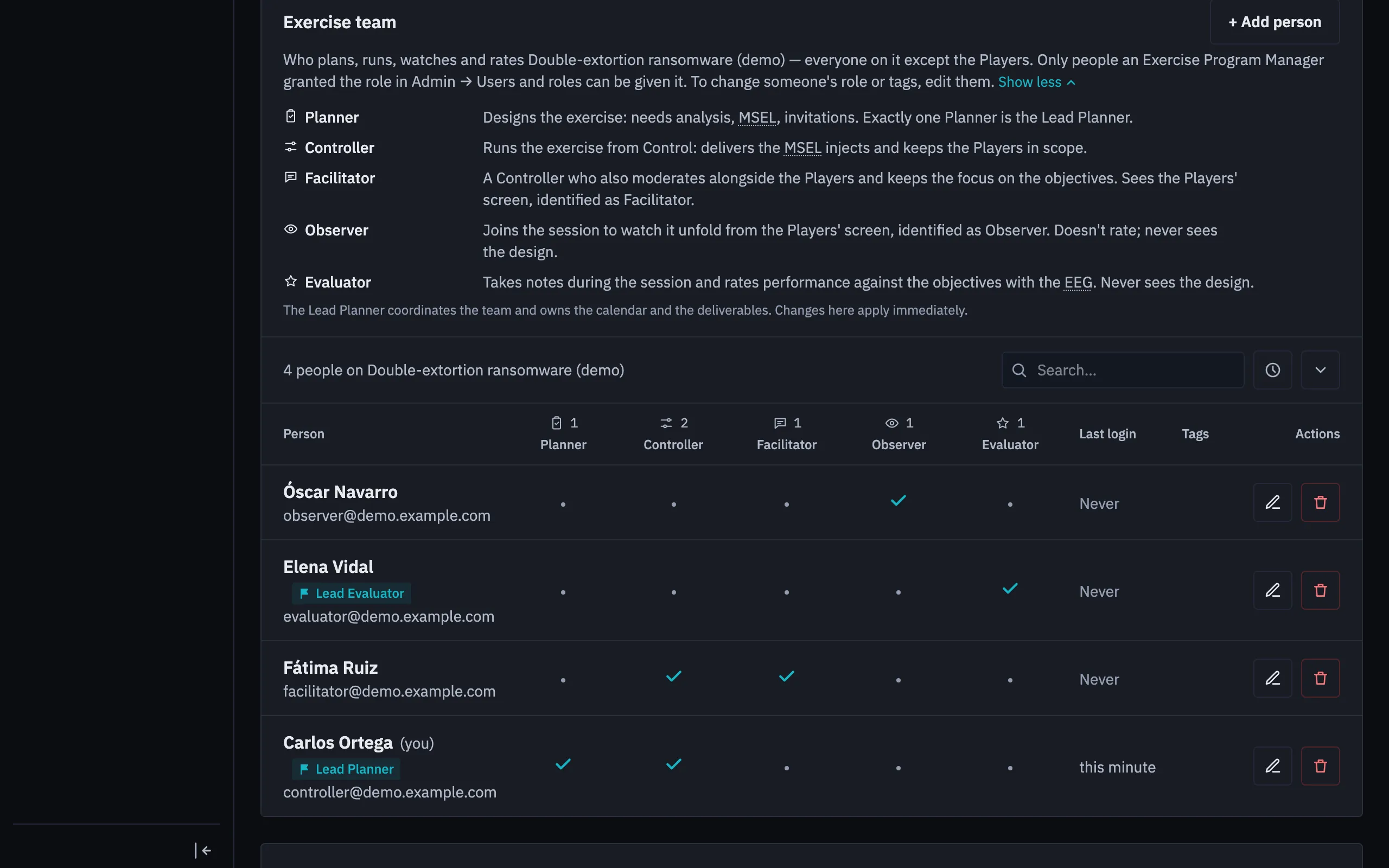
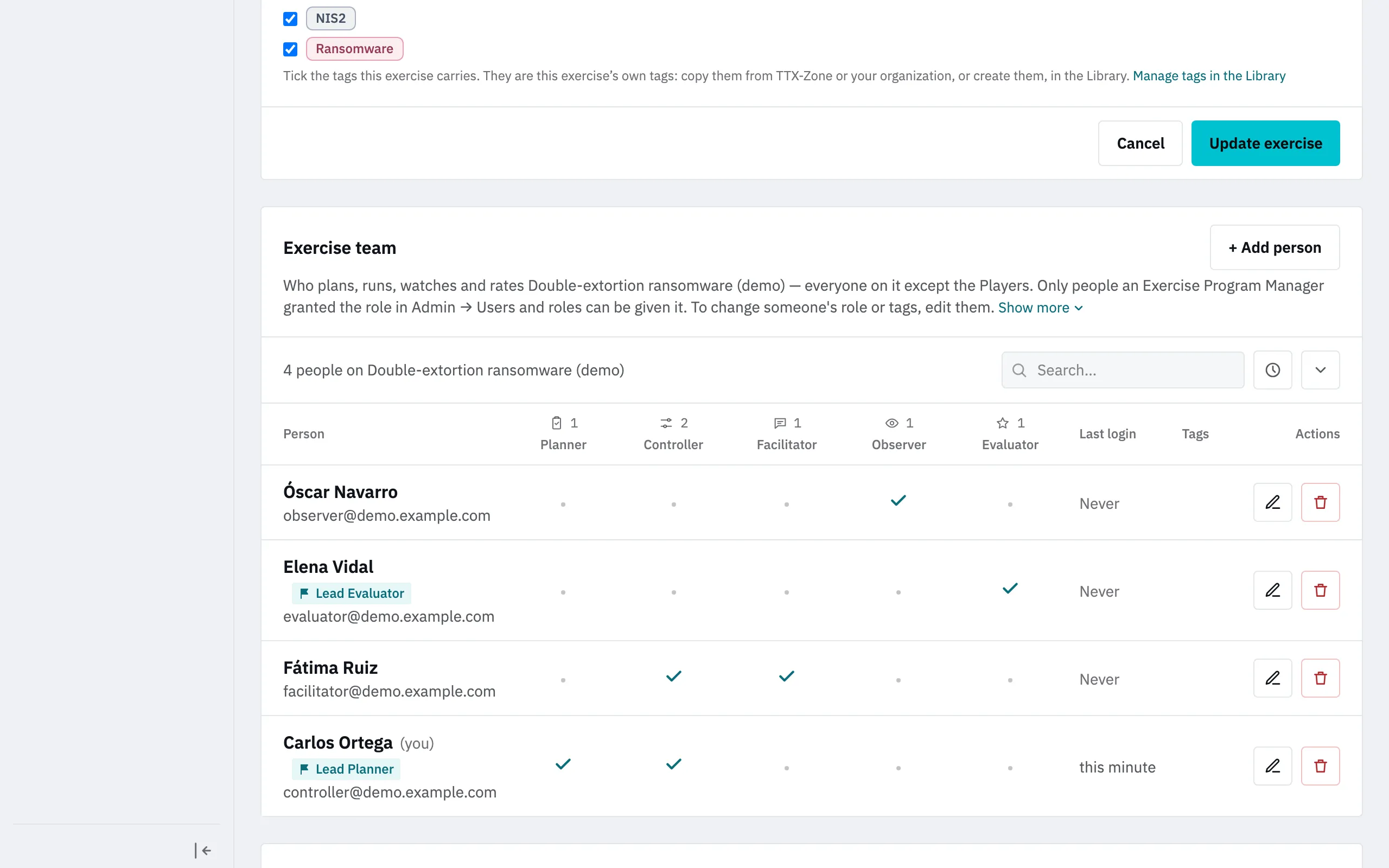
The flag beside a name makes that person the Lead Planner or the Lead Evaluator. The Lead Evaluator organizes the evaluation team and can write the report. Removing a lead asks you to name who takes over.
Other actions
Section titled “Other actions”- Duplicate copies an exercise. The session plan isn’t copied, since it’s rebuilt from the copy’s MSEL.
- Archive makes it read-only and takes it out of the default lists. You can undo it.
- Delete is permanent and asks for the exercise’s name.
Duplicating needs you to plan the exercise. Archiving and deleting are for its Lead Planner or an Exercise Program Manager.