

After-action report
The after-action report is written from what the session recorded. Its authors are the exercise’s Exercise Planners and its Lead Evaluator. Controllers and the organization’s Exercise Program Managers can read it.
Start it
Section titled “Start it”Open Design → After-action report and select Start the report from the session. Before that, the page previews which parts will fill in from the session and which you’ll write.
If there have been several sessions, you choose which one. Change session switches it later and keeps what you’ve written.
Write it
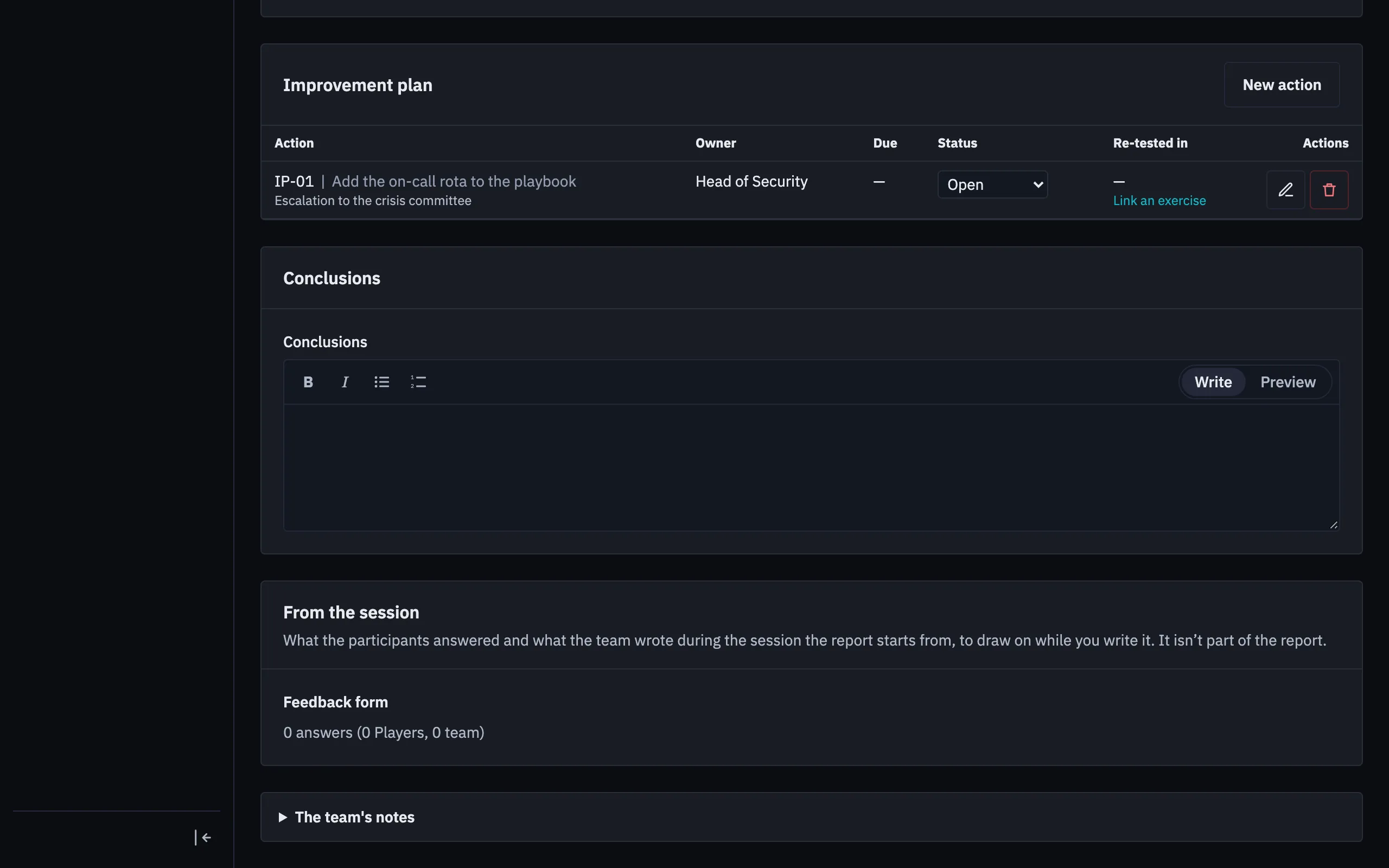
Section titled “Write it”The report saves as you type. For each objective, you set the level and write the analysis, which starts from the ratings, notes and decisions recorded. Next to it you can read the feedback results and the team’s notes, which are never copied in on their own.
Add Areas for improvement to the Improvement plan. Each action gets a code such as IP-01, an owner and a due date.
Finish it
Section titled “Finish it”Select Mark as final. That freezes a version, and any later edit reopens it as a new one. Following up actions doesn’t reopen it.
Download it as a PDF, labelled with the exercise’s TLP and marked DRAFT until it’s final. That’s separate from the automatic draft in the session’s exports.
An AI client can draft text and actions for you to accept, each citing its evidence. Levels and follow-up stay with people.